Build workflows
Credentials
Connect apps and APIs safely: create, test, share and reuse credentials.
A credential holds the details a node needs to sign in to an app or API: an API key, a token, a database password, an OAuth connection.
Create a credential
- Go to Overview → Credentials and click Create credential, or choose Create new from a node's credential list.
- Pick the type (for example Slack, PostgreSQL or Bearer token).
- Fill in the fields and save. Click Test where it's available to check the details work.
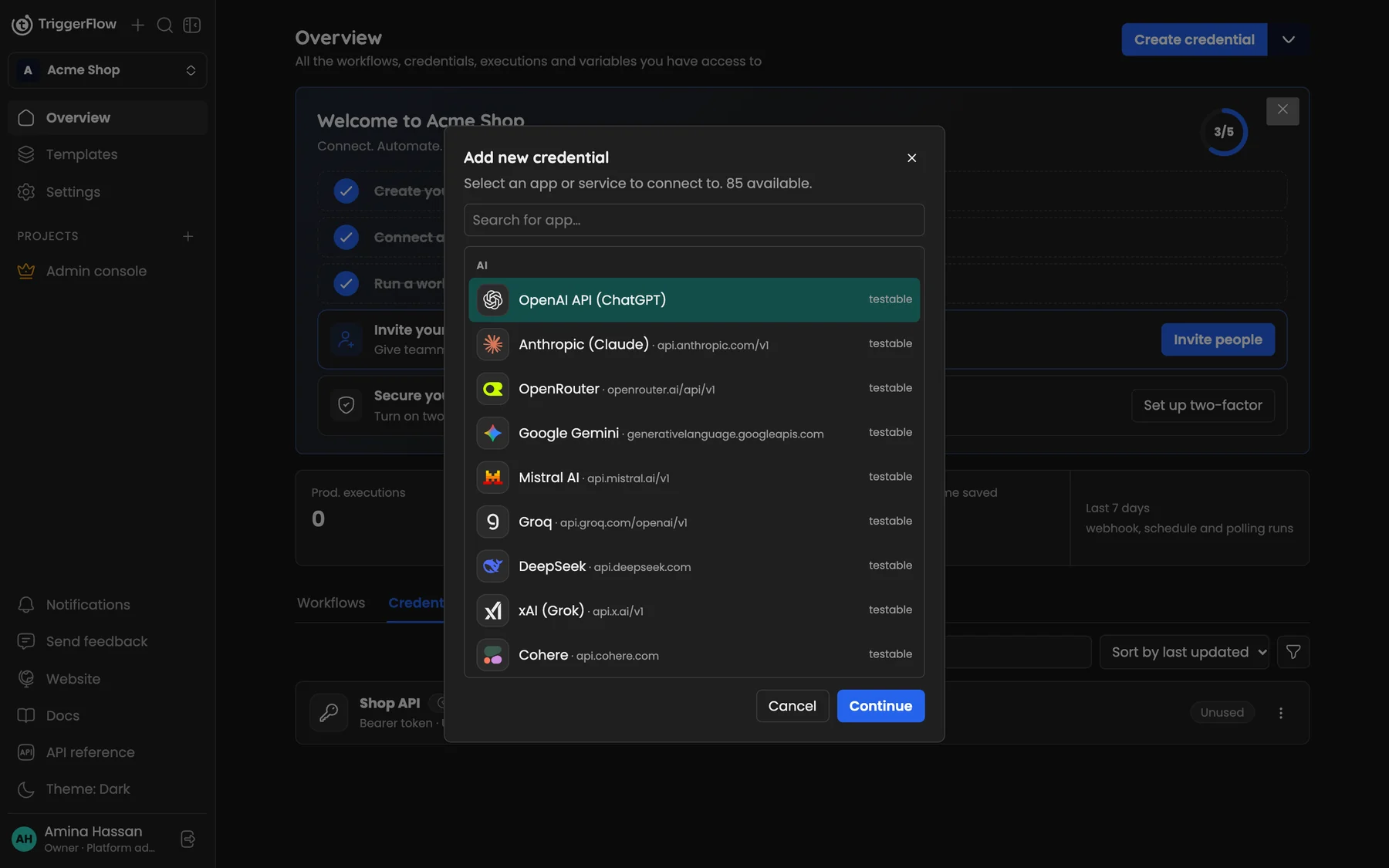
Choose the app or service you want to connect; testable* types can be checked with Test.*
Use it in a node
Open the node and choose the credential from its Credential list. If you have exactly one credential of the right type, it's selected for you.
Security
- Credentials are encrypted with AES-256 before they are stored.
- Secrets are never sent back to the browser; you can replace them but not read them.
- Workflow downloads and templates never include credentials.
- Owners and admins can also read secrets from an external vault. See Security.
OAuth connections
Some apps (Google, for example) use OAuth: click Connect, sign in with the provider and approve access. Triggerflow refreshes the token for you.
Sharing
Credentials belong to the organization. With sharing (Business plan) you can make a credential private and share it with specific people, who can use it in workflows without seeing the secret. See Team members, roles and sharing.
Any other API
If there's no node for a service, use the HTTP Request node with a generic credential: API key, Bearer token, Basic auth or custom headers.